



To do so, you will need:

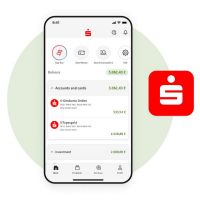
S-pushTAN-App
Download the latest version of the app, which is free, from the Apple or Google Play Store onto your phone or tablet.

chipTAN generator
To authorise the switch from chipTAN to pushTAN, you will need your chipTAN generator one last time.

Sparkassen-Card (debit card) – card number
If you are setting up the app a repeat time, you will be asked to enter your card number. This is why it is important to have your Sparkassen-Card (debit card) to hand. The card number is on the back of the card.
How to:
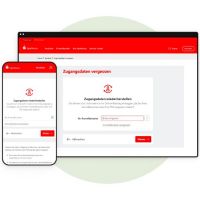
Changing your TAN procedure – how to
If you would like to switch from chipTAN to pushTAN, simply follow these step-by-step instructions. What you’ll need: You will need to have already installed the S-pushTAN-App and have a password for it.
Note: These instructions are an example only and may slightly differ depending on your mobile end device or bank.


Bei der Verleihung der 22. ZertifikateAwards konnte die Deka erneut den beliebten Publikums-Award als „Zertifikatehaus des Jahres“ entgegennehmen.

Quer durch alle Anlageklassen wurden in diesem Jahr wieder Fonds und ETFs der Deka vom Finanzen Verlag ausgezeichnet – darunter insgesamt 16 Mal mit dem 1. Platz.

Top-Fondsgesellschaft
Die Deka wurde zum zwölften Mal mit der Höchstnote von 5 Sternen ausgezeichnet.
Wir, als Ihre Sparkasse, verwenden Cookies, die unbedingt erforderlich sind, um Ihnen unsere Website zur Verfügung zu stellen. Wenn Sie Ihre Zustimmung erteilen, verwenden wir zusätzliche Cookies, um zum Zwecke der Statistik (z.B. Reichweitenmessung) und des Marketings (wie z.B. Anzeige personalisierter Inhalte) Informationen zu Ihrer Nutzung unserer Website zu verarbeiten. Hierzu erhalten wir teilweise von Google weitere Daten. Weiterhin ordnen wir Besucher über Cookies bestimmten Zielgruppen zu und übermitteln diese für Werbekampagnen an Google. Detaillierte Informationen zu diesen Cookies finden Sie in unserer Erklärung zum Datenschutz. Ihre Zustimmung ist freiwillig und für die Nutzung der Website nicht notwendig. Durch Klick auf „Einstellungen anpassen“, können Sie im Einzelnen bestimmen, welche zusätzlichen Cookies wir auf der Grundlage Ihrer Zustimmung verwenden dürfen. Sie können auch allen zusätzlichen Cookies gleichzeitig zustimmen, indem Sie auf “Zustimmen“ klicken. Sie können Ihre Zustimmung jederzeit über den Link „Cookie-Einstellungen anpassen“ unten auf jeder Seite widerrufen oder Ihre Cookie-Einstellungen dort ändern. Klicken Sie auf „Ablehnen“, werden keine zusätzlichen Cookies gesetzt.